
Free website Tools :
✨ Introduction :
Aapne bhi socha hai “Mujhe apni ek website chahiye…”
Par fir dimaag me aata hai — coding kaise karu? Domain kaise lo? Tools kaunse use karu? 😩
Good news ye hai 💡 — 2025 me WordPress website banana bilkul easy ho gaya hai, wo bhi free tools aur drag-and-drop editors ke saath.
Chahe aap freelancer ho, coach ho, ya small business owner — ye guide aapko step-by-step sikhayegi kaise bina technical knowledge ke apni professional website launch kar sakte ho 🚀
💡 Value Section
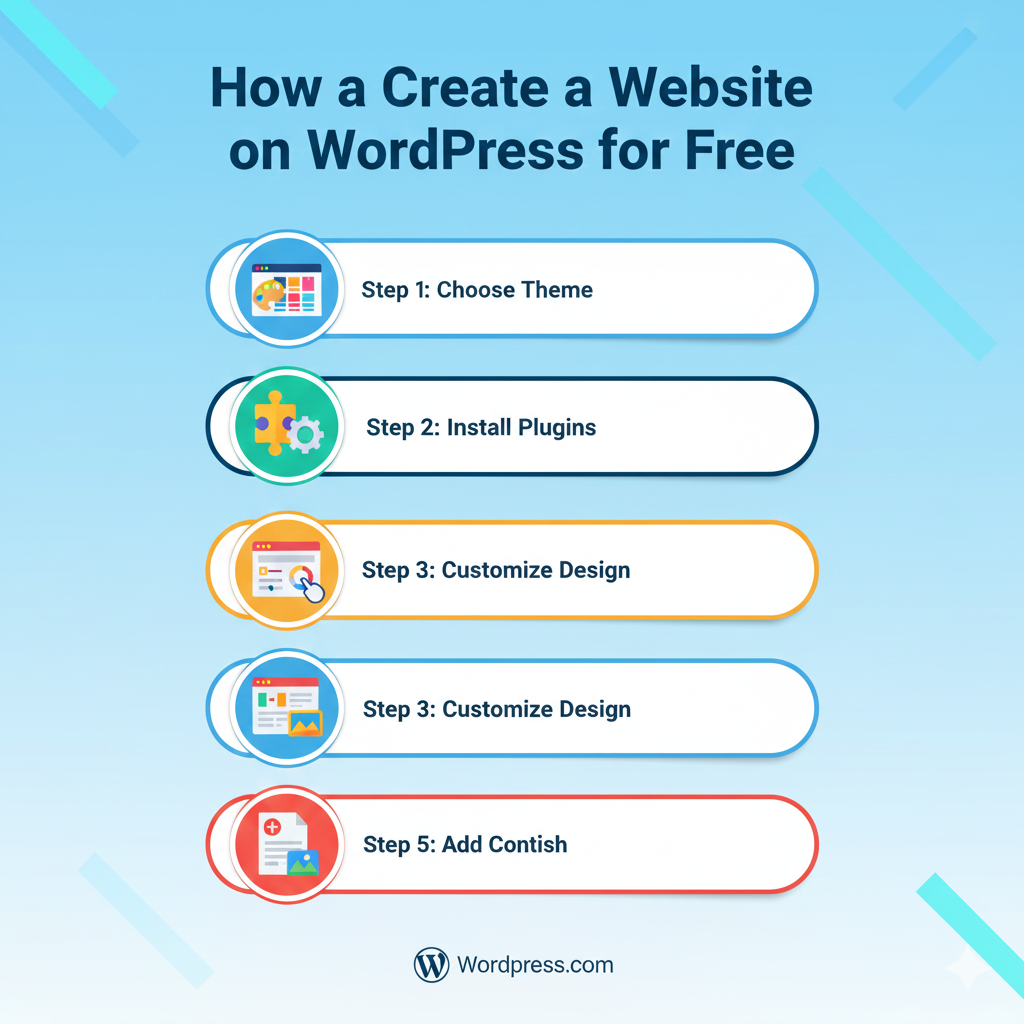
1️⃣ Step 1: Domain aur Hosting Ka Basic Samjho
Website ke liye do cheezein zaruri hoti hain:
- Domain – aapka website address (e.g., onlineudaan.com)
- Hosting – jahan website ka data store hota hai
Free Hosting Options (for beginners):
🌐 WordPress.com (basic free plan)
⚙️ InfinityFree (free unlimited hosting)
💻 000webhost (beginner friendly)
Pro Tip:
Agar aap professional website banana chahte ho, to paid domain (₹600–₹800/year) le lo — zyada trust milta hai.
Free website Tools :
2️⃣ Step 2: WordPress Install Karo (One Click Setup)
Agar aap WordPress.org use kar rahe ho (self-hosted), to cPanel me jaakar “Softaculous” → WordPress Install kar do.
1-Click me website ready ho jaayegi ✅
Phir login karo:
yourdomain.com/wp-admin
Username/Password se dashboard open hoga — yahan se aap website ka pura control rakh sakti ho.
3️⃣ Step 3: Right Theme Choose Karo (Look + Speed)
Theme aapki website ka “design base” hoti hai.
Best Free Themes (2025):
🎨 Astra — fast, clean aur responsive
🧩 Blocksy — modern aur Gutenberg-friendly
💻 OceanWP — multipurpose use
🛍️ Storefront — eCommerce ke liye perfect
Install → Activate → Customize se aap apna logo, colors aur layout change kar sakti ho.
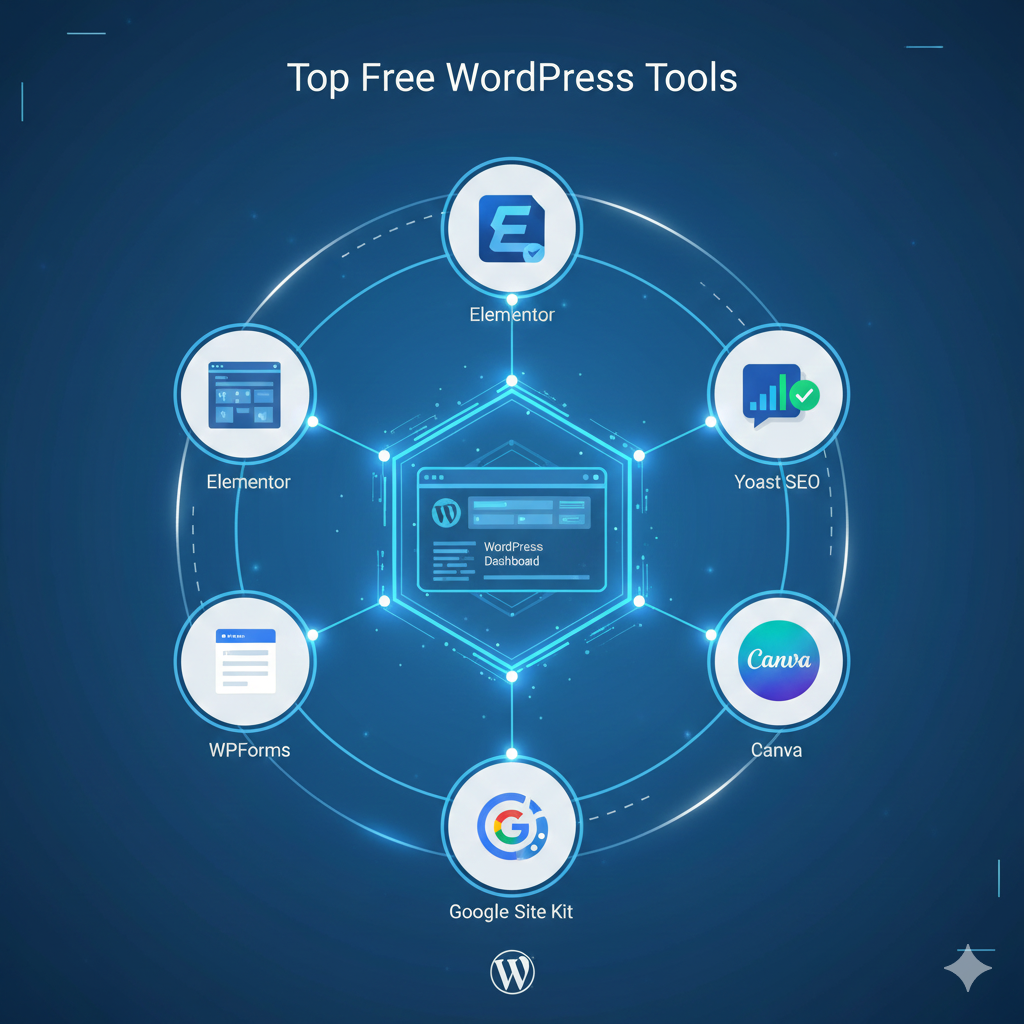
4️⃣ Step 4: Must-Have Free Plugins (Power Tools)
Plugins WordPress ke “magic buttons” hain jo har kaam easy kar dete hain.
Top Free Plugins (recommended by Online Udaan 💖):
🔹 Elementor – drag-and-drop page builder
🔹 Yoast SEO – Google ranking ke liye
🔹 WPForms – contact form banana easy
🔹 Smush – image optimization
🔹 Site Kit by Google – analytics + search console
🔹 LiteSpeed Cache – speed optimization
Tip:
Zyada plugins mat rakho — website slow ho jaati hai. Sirf necessary rakho (8–10 max).
Free website Tools :
5️⃣ Step 5: Content Pages Setup Karo (Simple Structure)
Har professional website me 5 basic pages hone chahiye:
1️⃣ Home
2️⃣ About
3️⃣ Services / Courses
4️⃣ Blog
5️⃣ Contact
Pro Tip:
- Har page me clear CTA rakho (“Contact Now”, “Join Course”, etc.)
- Canva se banner design karo aur WordPress me upload karo
- ChatGPT se page content likhwa sakti ho — “friendly Hinglish tone me”
6️⃣ Step 6: Free Tools Jo Website Building Easy Banate Hain
🪄 Canva – banners, logos, blog thumbnails
🤖 ChatGPT – website copywriting & FAQs
🔧 Google Fonts – free stylish typography
📸 Pexels / Pixabay – free HD images
📄 Notion – content organize karne ke liye
🎨 Coolors.co – brand color palette choose karne ke liye
Free website Tools :
7️⃣ Step 7: Website Launch Before Checklist
✅ Mobile friendly check (Google Mobile Test tool)
✅ Speed check (GTmetrix or PageSpeed Insights)
✅ SSL (free from Let’s Encrypt)
✅ Contact form test
✅ About page me real photo & story
Once done → Congratulations 🎉
Aapki website live ho gayi hai!
🧭 Key Takeaways
✅ WordPress free + easy platform hai beginners ke liye
✅ Elementor aur Canva se design karna bilkul drag-and-drop level simple hai
✅ SEO + Speed optimization tools use karo for better ranking
✅ Free tools se hi ek professional brand website bana sakte ho
Aaj WordPress ki wajah se website banana super easy ho chuka hai.
Coding ki bilkul zaroorat nahi, sirf drag & drop se website ready.
2025 me free tools aur AI ne poora process aur smooth bana diya.
Beginners bhi ab professional website khud create kar sakte hain.
Small businesses ke liye WordPress best hai — fast, flexible aur budget-friendly.
✔ Zero coding — sab visual editing se hota hai.
✔ Thousands of free themes — har niche ke liye options.
✔ AI tools design & layout auto-suggest karte hain.
✔ Mobile responsive designs by default.
✔ Free plugins se SEO, security, forms sab cover ho jata hai.
🎯
Agar aapko ye guide helpful lagi ho 💡
to Online Udaan ko follow karo aur comment karo:
“Mujhe bhi apni website banana hai!” 💬
Main aapke liye free tool list aur templates share karungi ✨